How to use LifeMaxing to lose weight

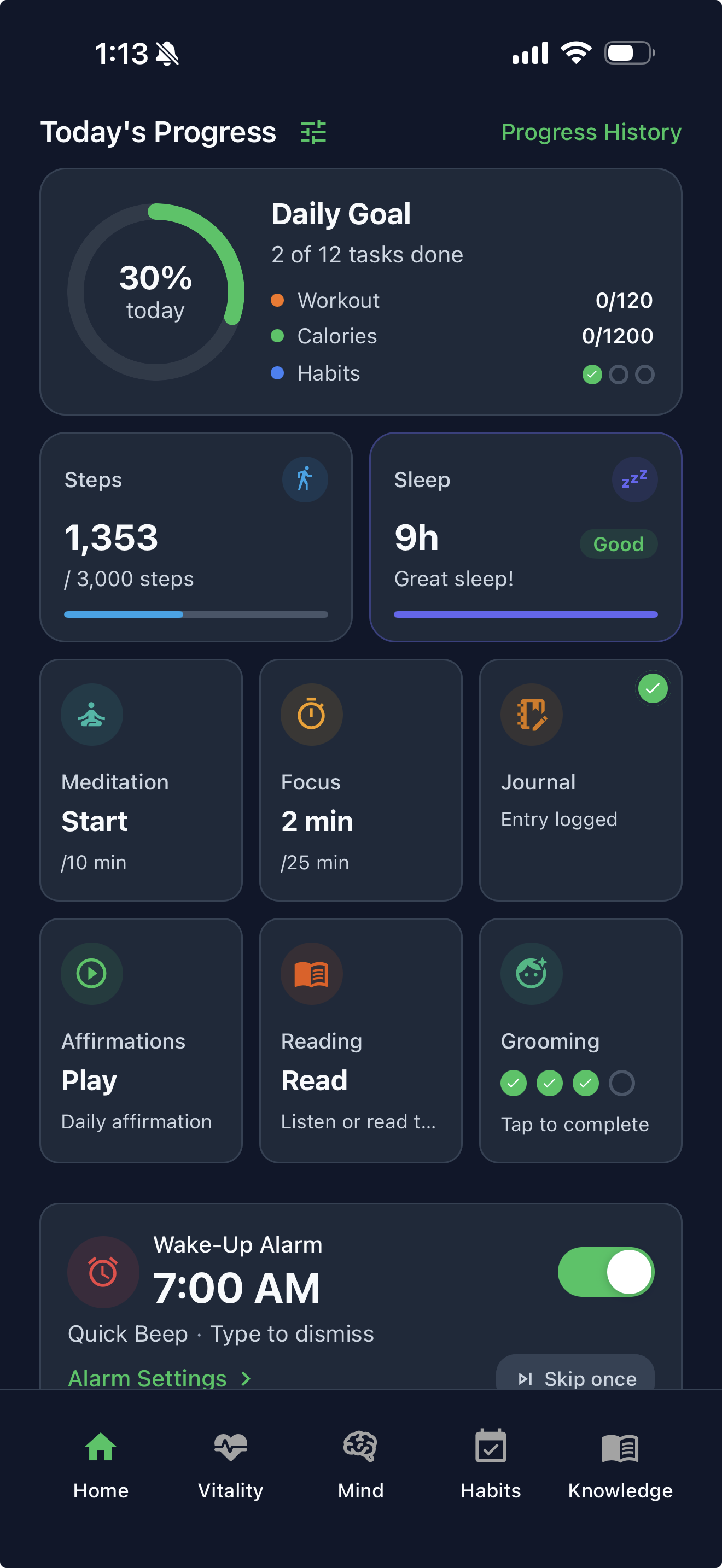
Fat loss in LifeMaxing is a calorie deficit you can actually live with — a diet plan, logged meals, movement you track, sleep that supports recovery, and habits that keep the week honest.
This is general wellness guidance, not medical advice. Talk to a clinician before starting a weight-loss plan if you have a health condition, take medication, or have a history of disordered eating.
Why LifeMaxing instead of a calorie app alone
MyFitnessPal can count calories. It cannot tell you whether you slept, trained, hit protein, or kept the habits that make a deficit sustainable. LifeMaxing puts workout and diet plans, a calorie tracker, a habit tracker, and a sleep tracker in your progress so fat loss is a system, not a hungry spreadsheet.
Search “how to use LifeMaxing to lose weight” when you want the app to do more than nag you about dinner. Here is a practical setup.
Step 1: Set up for fat loss
Onboarding and plan settings ask what you are optimizing for. Choose fat loss (or a similar goal) so your diet plan uses a modest calorie deficit and enough protein to protect muscle. LifeMaxing Pro ($4.99 a month) unlocks more personalized AI diet and workout plans if you want tighter customization; the free plan still lets you log food, follow training, and track habits.
Do not pick the smallest deficit you can imagine. A range you can keep for eight weeks beats a heroic two-week crash.
Step 2: Run the diet plan and log meals
Use the daily meal plan as your default on workdays. Log what you eat:
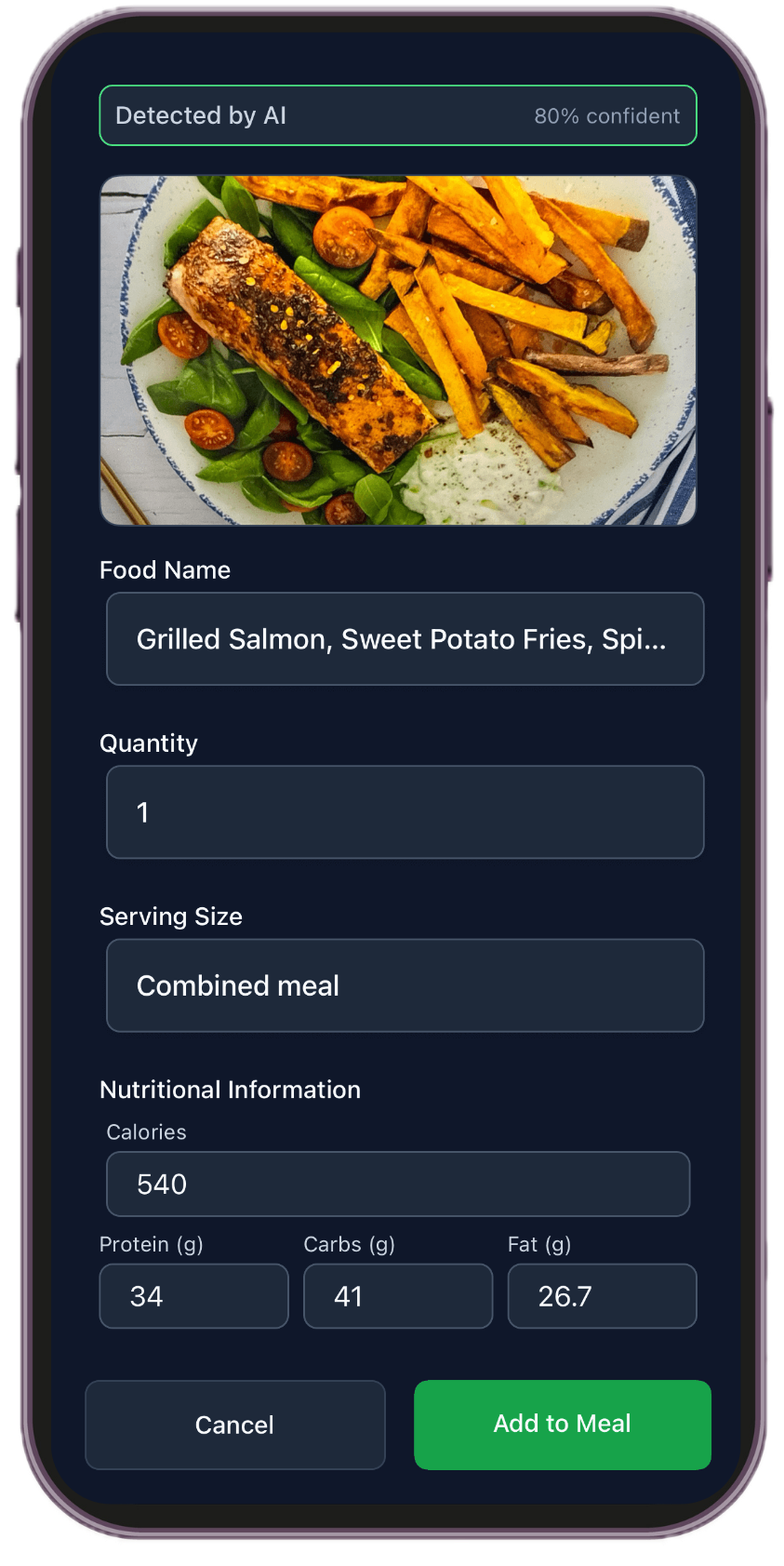
- Photo for mixed plates — see how to track calories from photos.
- Barcode for packaged food.
- Typing when you already know the meal.
Plan the week once with meal planning so you are not deciding and logging from scratch every night. If logging feels heavy, read how to log calories without obsessing — ranges and repeats, not perfection.
Step 3: Move on purpose
Follow the workout plan LifeMaxing generates — even three days a week of full-body training helps retain muscle in a deficit. Log sets, reps, and weight so Vitality moves when you show up.
Add low-intensity movement as habits: a daily walk, steps after lunch, mobility on rest days. You do not need two hours of cardio; you need a deficit you can repeat and enough protein to recover.
Step 4: Sleep and habits are part of fat loss
Bad sleep raises hunger and makes late-night snacking more likely. Set a sleep window in the sleep tracker, use wind-down habits, and stop snooze cycles that steal morning structure — see how to stop hitting snooze and how to get better sleep.
In the habit tracker, add small repeats that support the deficit:
- Log dinner before bed.
- Hit your water target.
- Walk 20 minutes on non-lifting days.
- Prep tomorrow’s lunch.
Those are the behaviors that keep the plan alive when motivation dips.
Step 5: Read your progress, not just the scale
Weight fluctuates daily — salt, stress, cycle, training soreness. Your progress shows whether you actually lived the plan: meals logged, workouts done, sleep protected, habits kept. A flat scale week with rising progress is often progress you cannot see yet.
Weigh yourself on a schedule (same time, same conditions) or use weekly averages. Adjust the plan if you are not losing after several consistent weeks — slightly lower calories or slightly more steps — not a punishment spiral.
Common mistakes
- Ignoring protein. Protein keeps you full and helps muscle in a deficit.
- Weekend off-plan amnesia. Log it. Fix next meal, not next month.
- Cardio only, no lifting. Training shapes the body you reveal at lower weight.
- Five apps, zero picture. Keep food, training, sleep, and habits in LifeMaxing so the week adds up.
If you are also building muscle later, read how to use LifeMaxing to gain muscle. For a first training and food template, start with a beginner workout and diet plan.
A sample week in the app
You do not need a perfect calendar. You need a repeatable shape:
- Training days (3): follow the LifeMaxing workout, log sets, eat the meal plan, hit protein.
- Walk days: a 20–40 minute walk as a habit. Still log meals.
- One grocery + prep block: see how to meal plan for the week.
- Sleep window every night: same-ish bedtime. Review your progress on Sunday, not after every weigh-in.
If weekends blow the deficit, log them anyway. The next meal is the recovery, not a Monday restart that never happens.
If the scale stalls
First check consistency, not the target. Did you log most meals for two weeks? Did training happen? Did sleep collapse? A stalled scale with falling progress is a behavior problem. A stalled scale with solid progress is often water, a menstrual cycle, or you need a small calorie or step adjustment — not a crash diet.
Change one lever: slightly more daily walking, or a modest calorie reduction. Keep protein up. Keep lifting. Reassess after another two consistent weeks. Details live on the weight-loss page.
When to stop tracking every bite
Photo logging is a tool, not a personality. After the plan feels automatic — repeated breakfasts, a default lunch, known dinners — you can log less tightly and still use the diet plan as a guardrail. If logging starts to own your mood, read how to log calories without obsessing and talk to a clinician if food anxiety shows up.
FAQ
Can I lose weight with LifeMaxing on the free plan?
Yes. You can log meals, follow training, track habits and sleep, and watch your progress without paying. Pro ($4.99/month) adds more personalized AI diet and workout plans.
Do I still need MyFitnessPal?
Only if you want MFP’s food database as a specialist. LifeMaxing logs by photo, barcode, or typing and connects food to training and sleep. Compare in LifeMaxing vs MyFitnessPal.
How fast should the scale move?
A modest weekly average is more useful than daily noise. LifeMaxing is for a deficit you can keep — not a two-week crash. This is not medical advice.
Start free — then level up
Habit tracker, workout and diet plans, calorie tracker, sleep, and focus in one app.
Get the app