A gym app that logs the workout and the calories
Follow a workout plan, log sets, reps, and weight, and keep the diet plan in the same app so training and food are one week.
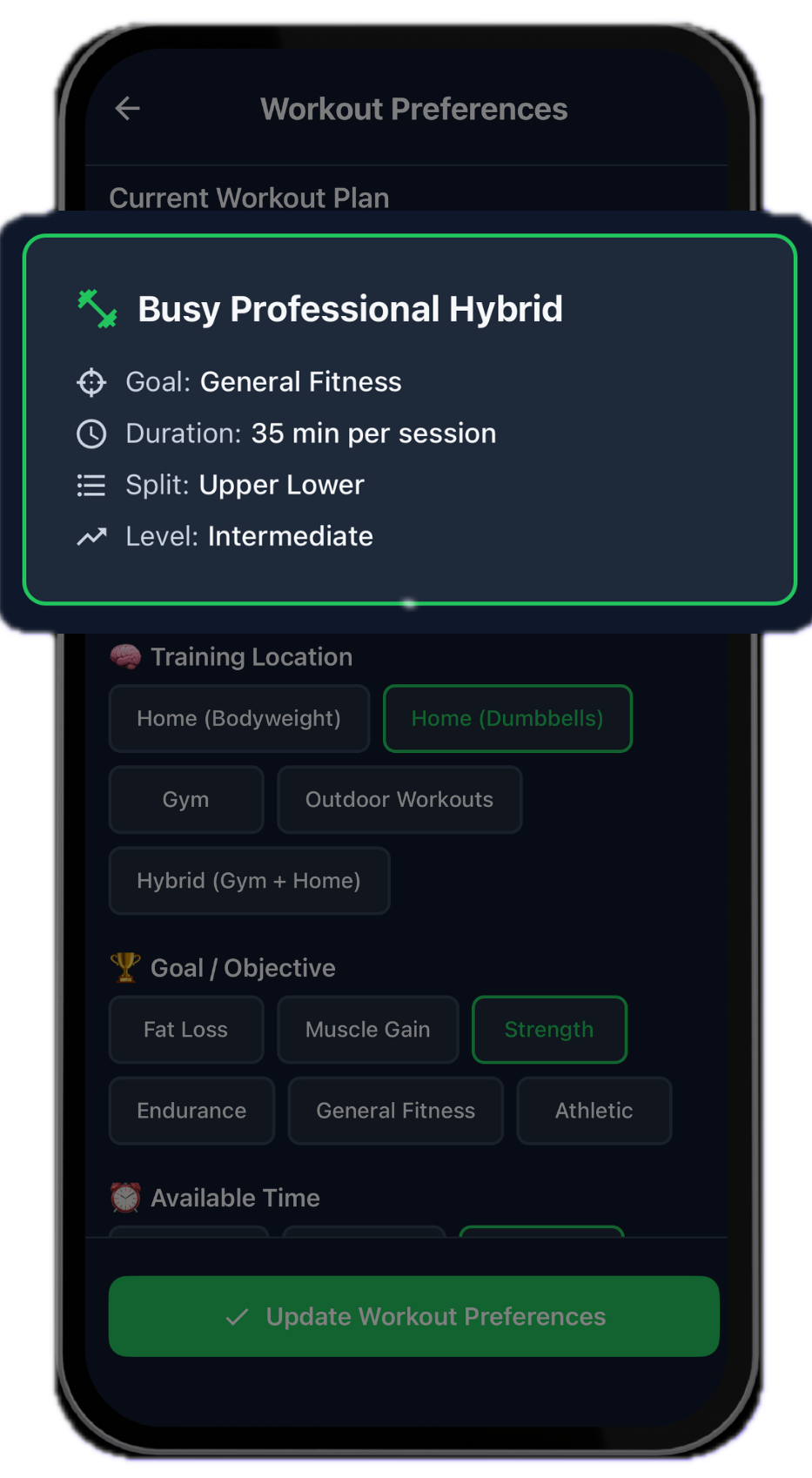
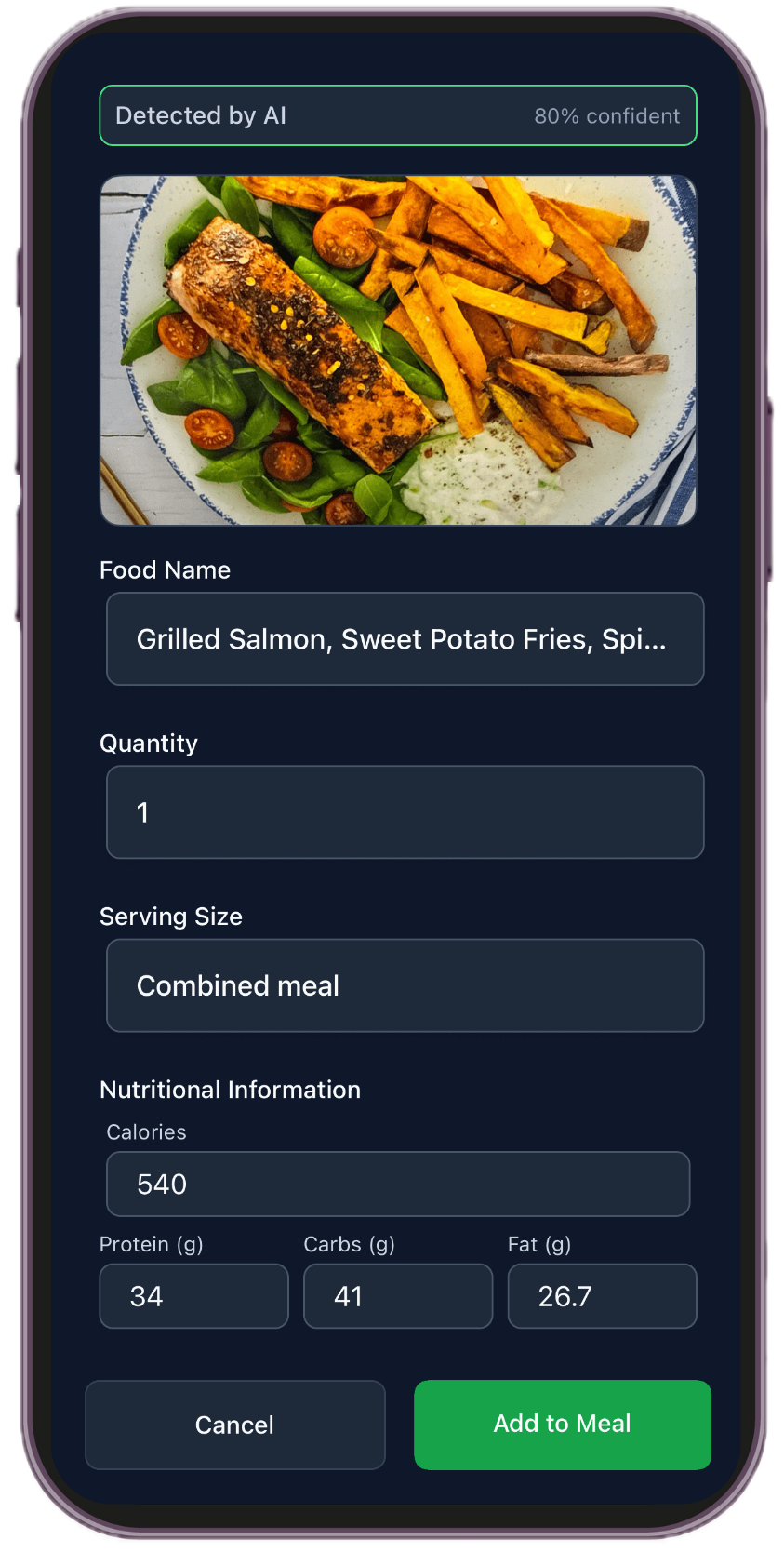
Search “gym app,” “app for gym,” or “app for workout” and you get a lifting log, a class library, or a plan generator. Each one is good at the session. None of them know what you ate. LifeMaxing is a gym app that keeps the workout plan, the set log, and the diet plan in one install, so the training and the calories are the same week.
- Plans that stay in sync LifeMaxing builds workout and diet plans from your goals, then you follow both from one screen.
- Log the work Sets, reps, weight, time, meals, and macros — plus steps, weight tracking, and progress photos.
- Training shows up in your progress A hard session is not invisible just because food lived in a different app.
What a gym app has to do
The session has to be easy to follow and easy to record. You open the plan, do the work, and log sets, reps, weight, and time. Steps, body weight, and progress photos sit with that log so a month of training is visible.
The part most gym apps leave out is the food. A lifting log cannot tell you whether protein and calories matched the goal of the block. LifeMaxing puts the diet plan next to the workout plan. The calorie tracker app is how meals get into that day: a photo, a barcode, typing, or a meal you already planned.
How a week looks
- Pick the plan. LifeMaxing builds workout and diet plans from your goals. If you want the logic before you generate anything, read workout splits explained and the workout and diet plan for beginners.
- Train and log it. Follow the session. Record sets, reps, weight, and time. A session that is not logged does not show up in the week.
- Eat to the same plan. The diet plan holds calories and protein. If you are choosing the calorie number yourself, start with the maintenance calorie calculator. Log the meals in the calorie tracker so the plan is a record, not a PDF.
- Look at the week, not one set. Progress photos, body weight, and the training log belong together. Muscle and fat loss both need that view. The muscle path is LifeMaxing for muscle gain. The fat-loss path is the weight loss app.
When a specialist gym app is the better tool
Hevy and Strong are lifting logs. Fitbod generates workouts. If the only thing you will track is the session, use the specialist. LifeMaxing is the app for people who also need the diet, the calories, sleep, and a few habits in the same place as the log.
The step-by-step for adding muscle is how to use LifeMaxing to gain muscle.
Free, and what Pro adds
Free: log workouts, meals, habits, and sleep. You can follow a plan and record the work with no credit card.
LifeMaxing Pro is $4.99 a month: AI workout and diet plans tuned to the goal, unlimited AI credits, and the full libraries.
Logging a session
Open the workout that is on the plan. Do the work, then record sets, reps, weight, and time for that session. If you changed the weight or stopped a set short, log what you did, not what the plan hoped. The next week is only useful if this week is honest.
Steps, body weight, and progress photos live with that log. A single heavy set does not tell you if the month is working. The photos and the scale do, next to the sessions you actually finished. You do not need a second gym app for the log and a notes app for the photos.
The diet plan beside the session
The workout plan and the diet plan come from the same goals. Calories and protein are on the diet side. Meals land in the calorie tracker app: photograph a cooked plate, scan a barcode for packaged food, type a food you already know, or confirm a meal you planned. A gym app that cannot see dinner will happily add sets while the week is under-eating or over-eating without anyone noticing.
Free logging covers the sessions, the meals, habits, and sleep. Pro, at $4.99 a month, personalizes the AI workout and diet plans and unlocks unlimited AI credits and the full libraries. You can follow and record a plan before you pay.
If you are starting from no program, use a repeatable split and a simple diet before you collect more routines. The beginner workout and diet plan is the logic. This page is the app that holds it.
Questions about the gym app
Is LifeMaxing a gym app?
Yes. You follow a workout plan and log sets, reps, weight, and time. The same app holds the diet plan and calorie log, so the session and the food are not in two places.
Can I log sets, reps, and weight?
Yes. Log the work for each session: sets, reps, weight, and time. Steps, body weight, and progress photos sit with that training log.
Does the gym app include a diet plan?
Yes. Workout plans and diet plans are generated from your goals and followed in the same app. Calories and protein stay next to the sessions.
How is it different from Hevy or Strong?
Hevy and Strong are lifting logs. LifeMaxing logs the lifting and also the diet, calories, sleep, and habits around it. If you only want a workout log, a specialist is the better tool.
Is there a workout plan for beginners?
Yes. Start with a simple split you can repeat, log the sessions, and pair it with a diet plan. The beginner walkthrough is on the workout and diet plan for beginners page. Pro can personalize the plan.